Google AI Pro Free for Students, Which Universities Qualify?
As AI advances quickly, Google's Google AI Pro Free for Student program offers students an attractive chance, but not every school can use it.

As AI technologies develop rapidly, Google’s “Google AI Pro Pro Free for Student” program offers students a very attractive opportunity. But not every student can use this chance. In particular, the email infrastructure used, POP3 vs. Exchange, is the deciding factor here.
What is Google AI Pro Free for Student?
Google AI Pro gives students a chance to gain experience in the field of artificial intelligence by offering advanced AI tools for free. But to use this service, you need to link your school email address with your Google account. This is where the type of mail server comes in.
Why Can Verification Be Done at Some Universities, but Not at Others?
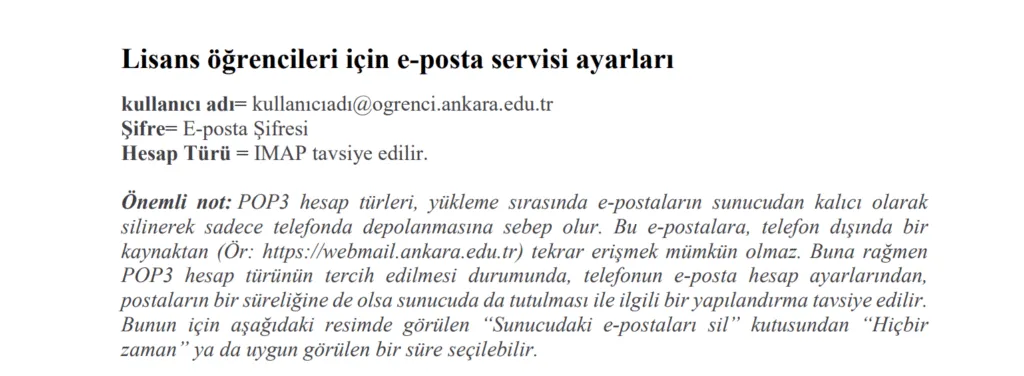
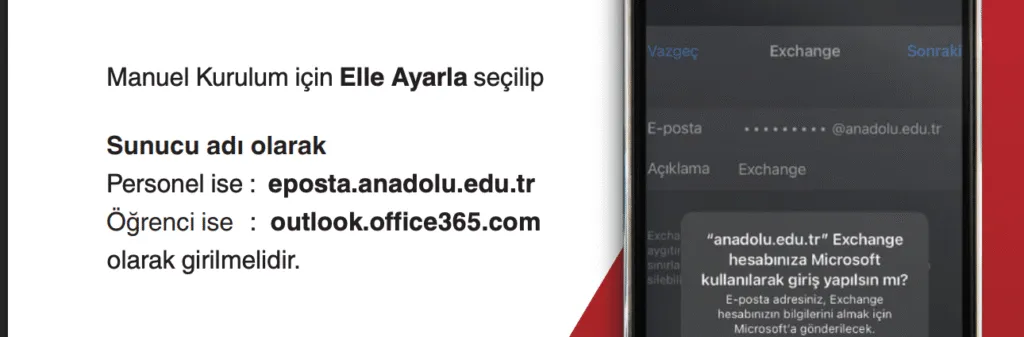
Google verifies student status based on the university email address added to the user’s account. If this email address comes from a domain recognized by Google and can be verified in the system, the student account is approved automatically. But there is an important difference here. Since some universities use a POP3 supported email infrastructure, these addresses can be added to a Google account without any problem. For example, this works on Ankara University’s POP3 based system. In contrast, at schools like Anadolu University that use an Exchange server, verification can fail even if these email addresses are added to the Google account, because Google cannot authenticate with these infrastructures.
Example:
- Ankara University has a POP3 supported email infrastructure, so it can be linked with a Google account.
- Anadolu University uses Exchange infrastructure, so the Google account cannot be verified with this email.
How Do You Add a University Email Account to a Google Account?
Normally, when registering, some people are redirected automatically, but for some people you need to manually add the email address to Gmail. Each school shares the relevant documents for this. If you search Google for your school name plus smtp / pop mail settings, you can find the relevant document. Your school has to provide this, though.
To view emails sent to your university email account through Gmail as well, you can follow the steps below.
- After signing in to Gmail, click Settings from the gear icon at the top right.
- Click the Accounts and Import tab. Select “Add a POP3 mail account you own.”
- Enter your email address.
- Enter the server, username, and password provided by your university.
- If you want to send and receive email from this account, check the required boxes.
- If it asks for SMTP information, enter it completely.
- An approval code will arrive, enter it.
This example is provided from Ankara University’s relevant document.
Solution Suggestions
If your university uses Exchange infrastructure and Google verification fails, you can try the following methods:
- Try setting up your school email in Outlook or a similar mail client as POP, if possible.
- Send an email to the university’s IT department asking for POP/IMAP access.
- Alternatively, try verification through another student email account that supports POP, for example if your previous school’s email is still active.
You can click this link to reach my other blog posts. You can leave a comment for your questions, thoughts, and suggestions.


Comments
gmail hesabına okul adresini ekledikten sonra oluyor
hala geçerli mi?